
You specced out your new car, got to the options page, saw the factory navigation package sitting at $1,500 to $2,500, and either skipped it or bought a trim that didn’t include it at all. Now you’re in the driveway wondering if you made a mistake. You didn’t — and the reasoning is straightforward once you look at what you’re actually giving up versus what you’re keeping.
What Built-In Navigation Actually Costs You (Beyond the Sticker Price)

Factory nav packages are priced like luxury items because manufacturers treat them like luxury items. Depending on the brand and trim, you’re looking at $1,000 to $2,500 added to your purchase price. Most buyers finance, which means you’re paying interest on that navigation system for the life of the loan. A $1,800 nav package financed at a 7% APR over 60 months costs meaningfully more than $1,800 — and it starts depreciating the day you drive off the lot.
Then come the map updates. Most factory systems charge $150 to $300 every few years to push updated maps to your head unit — and that’s assuming you bother. A significant number of owners never update their factory maps at all, which means the built-in navigation guiding them around is working off road data that’s increasingly out of step with reality. New subdivisions, rerouted highways, changed speed limits: your expensive embedded system quietly misses all of it.
There’s also the hardware problem. The proprietary system you buy on day one is essentially what you’re stuck with for the entire ownership cycle. The interface doesn’t improve. The processor doesn’t get faster. The UX doesn’t get redesigned to fix the things that annoyed you in year one. Manufacturers have limited financial incentive to push meaningful software updates to a system you’ve already paid for.
To be fair, built-in navigation does have one genuine advantage worth naming clearly: it works without a phone. If you regularly drive through rural dead zones with no cell signal, that phone-free independence matters. That’s a real trade-off, not a marketing point — and it’s addressed honestly later. But for most buyers driving urban and suburban routes the vast majority of the time, it’s largely a theoretical concern.
What Android Auto Actually Gives You Instead
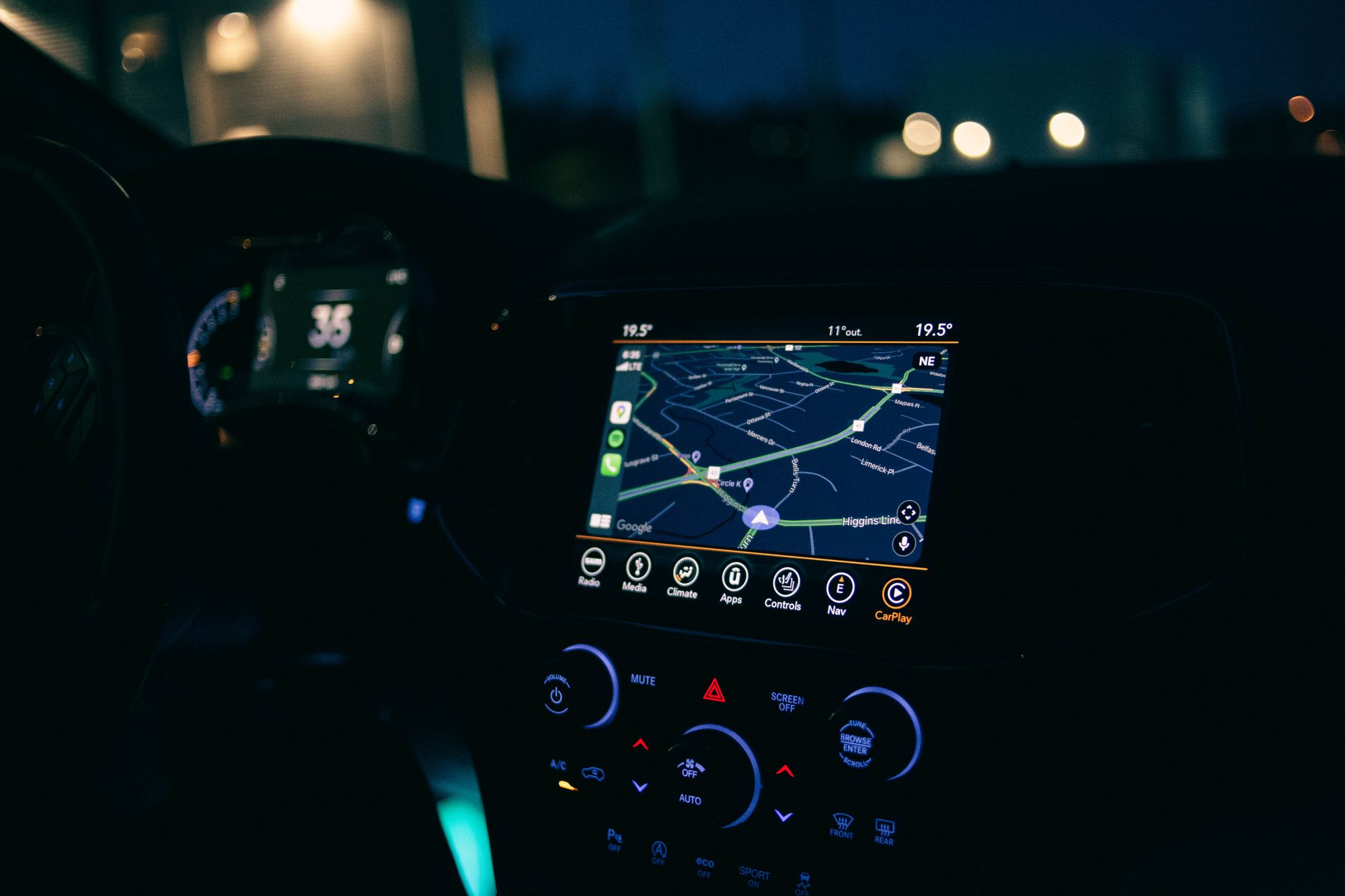
Android Auto projects a purpose-built driving interface from your phone onto your car’s head unit. You get Google Maps, Waze, and a growing app ecosystem — all updated automatically, all at no additional cost beyond the phone you already own. The interface is optimized for use behind the wheel: large touch targets, simplified menus, and voice control designed to minimize distraction.
Waze alone is a compelling argument. As XDA Developers documents in a first-hand account of living without built-in navigation, Waze is a more capable map than any built-in navigation system, offering crowd-sourced, real-time hazard reporting — police, road debris, accidents, speed cameras — that no factory-embedded system can replicate. Factory nav doesn’t know there’s a fender-bender slowing traffic two miles ahead. Waze does, and it reroutes you before you’re stuck in it.
Navigation is also just the starting point. Android Auto supports a wide range of integrations beyond maps, including messaging apps, music streaming, podcasts, and phone calls — all managed through a standardized interface that most factory infotainment systems charge extra to replicate. Spotify, Pocket Casts, WhatsApp, and Google Assistant are all present and work consistently across any compatible head unit.
Critically, Android Auto is not a static product. Google has detailed significant updates rolling out to Android Auto, including a refreshed driving interface and expanded functionality. The system you connect today will be meaningfully better in two years. The factory nav system you paid $2,000 for in 2022 will not be.
Android Auto vs. Built-In Navigation: The Side-by-Side

Here’s where each system actually stands across the factors that matter to daily drivers:
| Factor | Android Auto | Factory Built-In Navigation |
|---|---|---|
| Upfront cost | Free (uses your existing phone) | $1,000-$2,500 added to purchase price |
| Map update cost | Free, automatic | $150-$300 every few years |
| Update frequency | Continuous (app updates) | Infrequent; often skipped by owners |
| Offline capability | Google Maps offline downloads (partial) | Full offline; works without cell signal |
| Third-party app support | Waze, Spotify, messaging apps, and more | Minimal to none |
| Hardware longevity | Improves as your phone improves | Frozen at purchase; ages with the car |
| Phone dependency | Required | None |
| Vehicle data integration | Limited | Trip computer, parking sensors on some premium systems |
Android Auto wins on cost, map currency, real-time traffic intelligence, and app flexibility. Built-in navigation wins on phone independence and, on some premium systems, deeper vehicle integration such as trip computer overlays and 3D parking sensor displays. For most drivers, the Android Auto column is the practical one.
If you’re on an iPhone, the comparison shifts to Apple CarPlay rather than Android Auto, but the underlying logic is identical. Both platforms solve the factory nav problem in roughly the same way with comparable feature sets. The choice comes down entirely to your phone ecosystem. There are no meaningful capability gaps between CarPlay and Android Auto that should drive your phone or vehicle purchase.
One practical note on wireless Android Auto: wireless connections work best when your phone is simultaneously charging. XDA Developers confirms that using wireless Android Auto requires the phone to be plugged in and charging to sustain the connection on longer drives. A quality USB-C cable or a wireless charging pad with pass-through charging capability is a $20 to $50 fix — not a system flaw.
Is Your Head Unit the Actual Problem?

A car without navigation but with a responsive Android Auto-compatible head unit is more useful day-to-day than a car with expensive embedded nav running on a slow, frustrating proprietary interface. The head unit’s job in 2024 is mostly to get out of the way and let Android Auto or CarPlay take over.
When evaluating a head unit — whether factory-installed or aftermarket — focus on three things: screen size (8 inches is a practical minimum for readable navigation while driving), wired versus wireless Android Auto support, and whether the system handles simultaneous Bluetooth audio without dropping connections when you switch sources.
This matters directly to a growing number of buyers, because some manufacturers are now shipping certain models without embedded navigation maps by design. Honda Ridgeline owners have discussed this shift in detail, noting that some trims are released without an embedded navigation system, with navigation maps instead accessible via smartphone connected through CarPlay and Android Auto as the intended navigation solution. Real-world owners in that thread report no meaningful loss in daily usability — which is telling, given that these are drivers who have experienced both.
If your current head unit doesn’t support Android Auto, the aftermarket path is legitimate and affordable. Sony, Pioneer, and Kenwood all manufacture compatible head units in the $200 to $500 range including installation. That’s still less than most factory nav upgrade packages, and you end up with hardware you own outright and can replace again later when you choose to.
The Real-World Case: Where Android Auto Earns Its Keep Every Day

On a daily commute, Waze’s live traffic rerouting delivers measurable time savings. No offline factory map knows that an accident has backed up your usual route by 20 minutes. Waze does, reroutes you before you’re committed to the jam, and does it without requiring any input from you. That’s the practical, everyday case — and it holds up consistently.
On road trips, Google Maps functions as a genuine co-pilot in ways factory systems don’t attempt to match. Integrated fuel prices along your route, restaurant reviews at upcoming exits, and real-time rerouting around construction zones are features that required a dedicated GPS device a decade ago and now live in your pocket for free.
The dead-zone scenario — rural driving with no cell signal — remains the one area where factory nav holds a clear practical edge. Google Maps’ offline download feature partially closes this gap by letting you cache maps for specific regions before driving into low-coverage areas. It works for planned trips into remote terrain, though it won’t dynamically reroute the way a live connection would. If off-grid driving is a regular part of your routine rather than an annual camping trip, that difference is worth weighing seriously. For most drivers, it isn’t a regular occurrence.
The Verdict: Skip the Nav Package
If your car already lacks built-in navigation, you don’t have a problem to solve. Connect Android Auto, keep your apps updated, and recognize that you’re ahead of the buyers who paid an extra $2,000 for a system that’s quietly aging while yours actively improves.
If you’re still in the purchase decision, the logic is direct: skip the factory nav package, confirm the head unit supports Android Auto, and redirect the savings toward content that holds value across the ownership cycle — improved active safety technology, a better seat package, or powertrain options that affect fuel economy and long-term running costs. Those things matter in year five. A factory navigation system mostly doesn’t.
Android Auto runs on the phone already in your pocket, costs nothing to add, and outperforms what manufacturers charge thousands to build in. The only setup worth getting right is your charging and mounting arrangement — Android Auto is only as reliable as the connection keeping your phone powered and positioned while you drive. Solve that with a $20 to $50 cable or mount, and built-in navigation stops being a consideration worth revisiting.